
Review all imported product information before building the ad. Product names, descriptions, assets, selling points, promotions, and audience details guide the generated ideas, script, storyboard, and video.
Check all imported information carefully before building the ad.
1. Verify the Product Name and Description
Double-check the [Product Name] and [Description], and correct any missing or inaccurate details. These fields form the foundation for the generated selling points, ad ideas, script, storyboard, and video, so make sure they describe the product completely and accurately before continuing.
2. Choose Product Assets
- Under [Logo], select the logo to use. Leave all logos unselected if you do not want a logo to appear in the ad.
- Under [Primary Images], select the main product image.
- Check that the automatically selected Primary Image is correct. If the wrong image was selected, open the [...] menu on the correct image under [Assets] and select [Move to Primary Image].
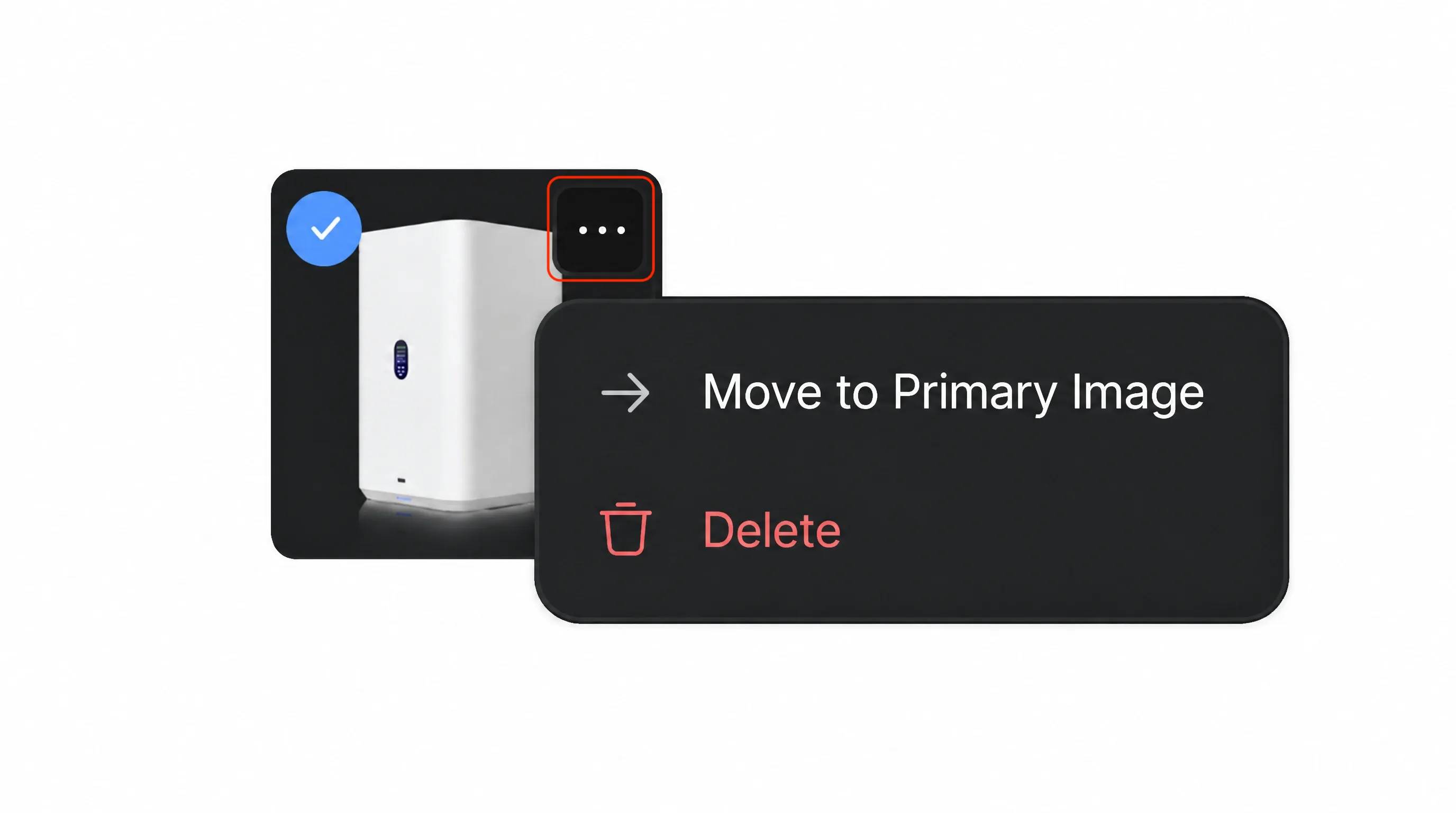
- Under [Assets], select the additional images that can be used in the storyboard and video.
- Select [Add New] when you need to upload a different logo or product image.
Choose clear, accurate assets and remove irrelevant or duplicate images. Keep product assets focused on the product; avoid including people or locations because Characters and Location are generated during the storyboard step and provide their visual references.
3. Refine Selling Points
Double-check every generated selling point because these points shape the ad’s message. Make sure each one is accurate, relevant, and aligned with what you want the video to communicate. If the suggestions do not match your direction, delete the unsuitable points and use [+] to add better ones.
Select one selling point to use as the main focus of the ad. The selected selling point affects the ideas generated in the next step, so choose the benefit that best matches your campaign goal and the message you want the video to emphasize.
4. Add Promotion and Audience Details
- Promotional info: Enable this when the ad should mention a sale or special offer. Add the original price, promotional price, and relevant details such as “Free Shipping” or a new-customer discount.
- Target audience: Enable this when you want the ad to address a specific group. Select one of the suggested audiences or edit the audience description to better match your campaign.
Continue after the product information, selected assets, promotion, and audience are correct.