
1. What Are Apps?
Apps are reusable, AI-powered experiences created from CawCut workflows. They let users provide the required text or media and generate results without building or editing the workflow behind them.
Apps are useful when you want to:
- Turn a repeatable workflow into a simpler experience.
- Share a workflow without requiring other users to work with its nodes.
- Generate new results by replacing the App's text, image, video, or audio inputs.
2. Find Your Apps
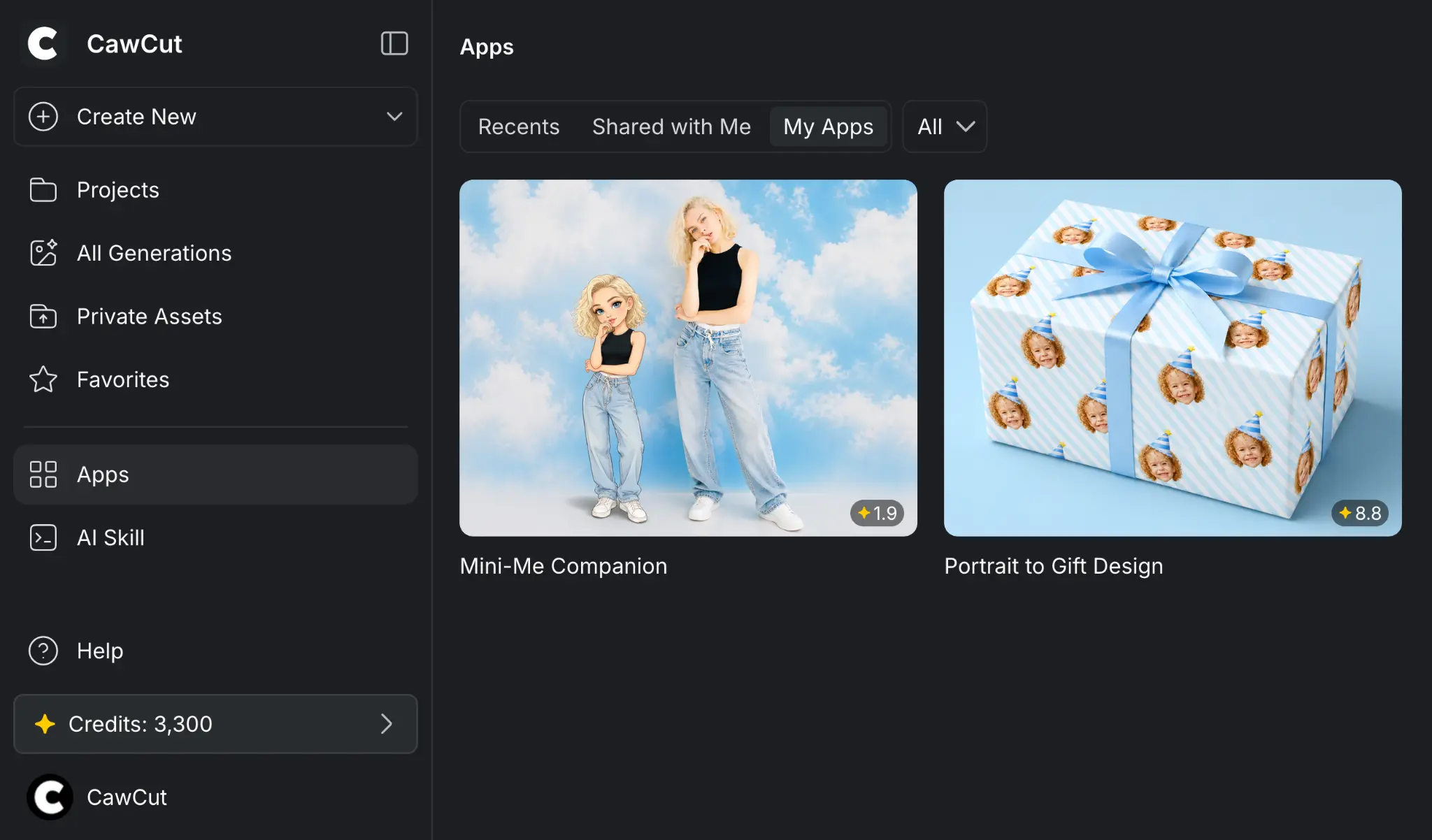
Click [Apps] in the left sidebar. The [Apps] page currently shows the following:
- Apps you opened through an access link.
- Apps other users shared with you.
- Apps you created and published.
Use [Recent], [Shared with Me], and [My Apps] to move between these groups. Use the [All] menu to filter the Apps shown in the selected tab.
For more information about the sidebar and workspace, see Navigate CawCut's Interface.
3. How Apps Work
An App connects a simplified input and result interface to an existing workflow:
- The creator selects which workflow nodes become user inputs.
- The creator selects which generated outputs appear in the App.
- A user provides the requested text or media and starts a generation.
- CawCut runs the underlying workflow and displays the selected results.
4. Create an App
Publish a completed workflow as an App, select its user inputs and displayed outputs, add its name and preview, then decide who can access it.
See Create and Share an App for the complete publishing process.
5. Use an App
Open an App, review its input requirements, provide your own content, and generate the results. You can then manage individual outputs, the complete generation, or previous generations from [History].
See Use an App for the complete process.
6. Use Apps in AI Agent
CawCut Apps can also be used in AI Agent through a skill. See Run a CawCut App with a Skill to learn the requirements, setup, and usage process.