
Overview
The Product node simplifies the process of bringing e-commerce assets into your workflow. By simply pasting a URL from shopping platforms, the node automatically extracts key marketing information, such as the product brief, primary photos, and logos.
These extracted assets can then be routed to downstream nodes to generate commercial videos, ad copy, or other marketing content based on the actual product data.
Using the Product Node
The Product node requires a link to an active product listing to begin extracting assets.
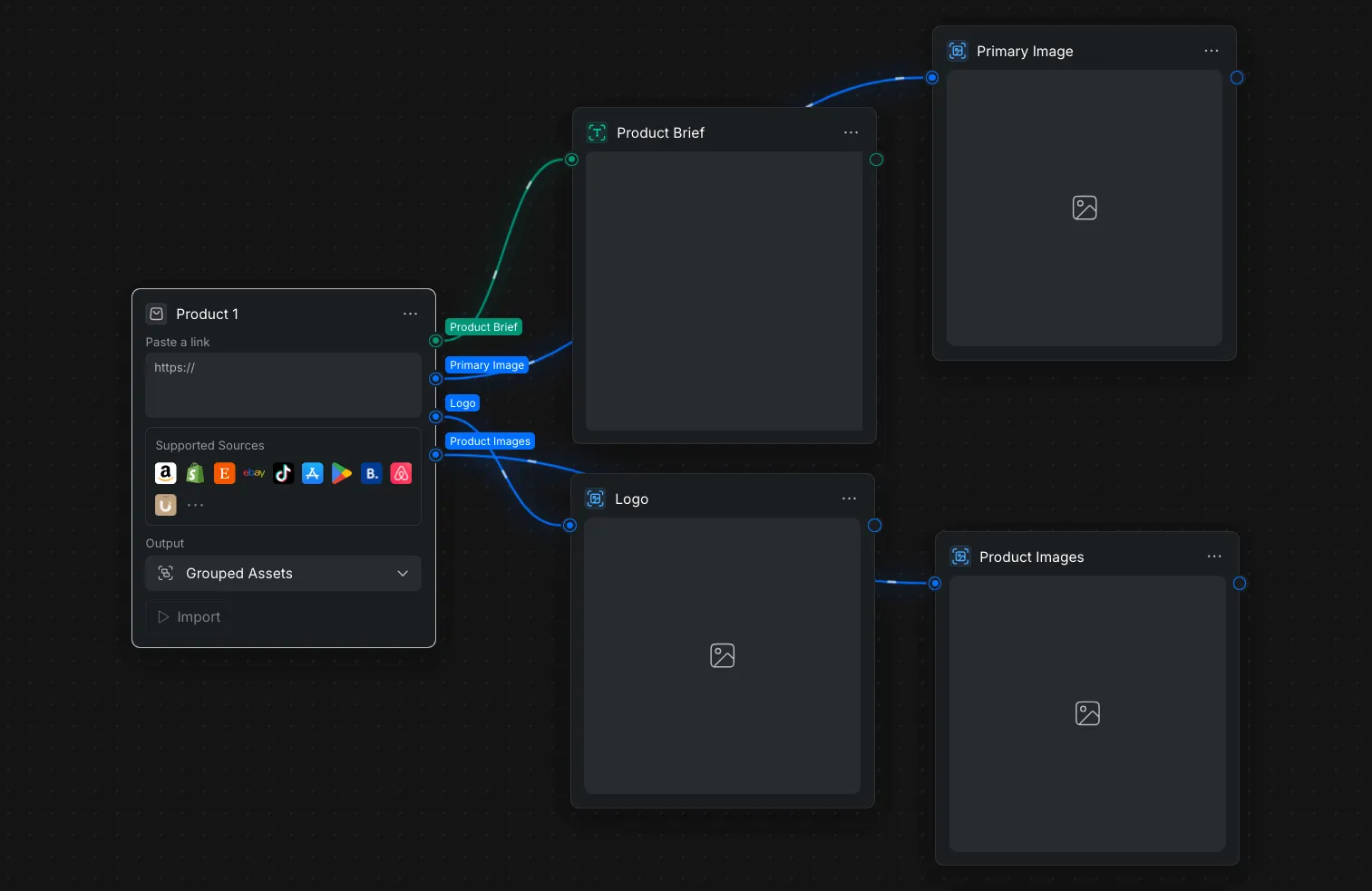
- URL Input: Paste a product link directly into the "Paste a link" text field on the Node Panel.
- Supported Sources: The Node Panel shows support for automatic extraction from major platforms, including Amazon, Shopify, Etsy, eBay, TikTok, the App Store, Google Play, Booking.com, and Airbnb.
- Execution: Choose the desired "Output" format from the dropdown menu in the Node Settings (e.g., "Grouped Assets") and click the "Import" button to initiate the data extraction.
Outputs
Once the import is complete, the node parses the webpage and organizes the data into four distinct output ports on the Node Panel, allowing you to route specific asset types to their appropriate generative nodes:
- Product Brief: Outputs a text string containing the extracted product description, title, and key features.
- Primary Image: Outputs the main hero or thumbnail image from the product listing.
- Logo: Outputs the brand or seller's logo found on the page.
- Product Images: Outputs a collection of additional gallery images associated with the listing.