
Overview
Use CawCut workflows to create reusable VN Templates that can be shared through QR codes.
Users can scan the QR code in VN and instantly use your template.
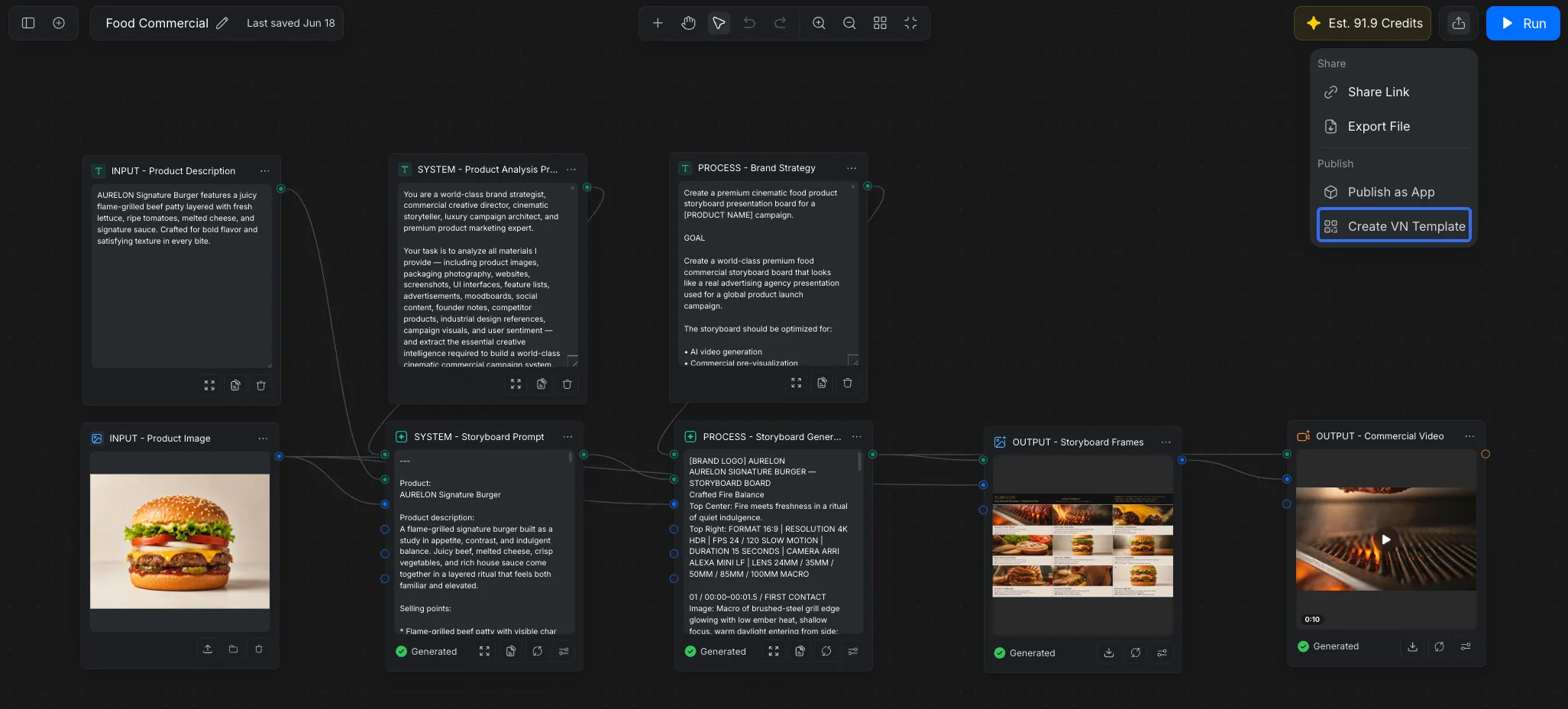
Step 1 · Define Inputs
Choose the inputs users need to provide when using the template.
Supported Inputs
- Image
- Video
- Text
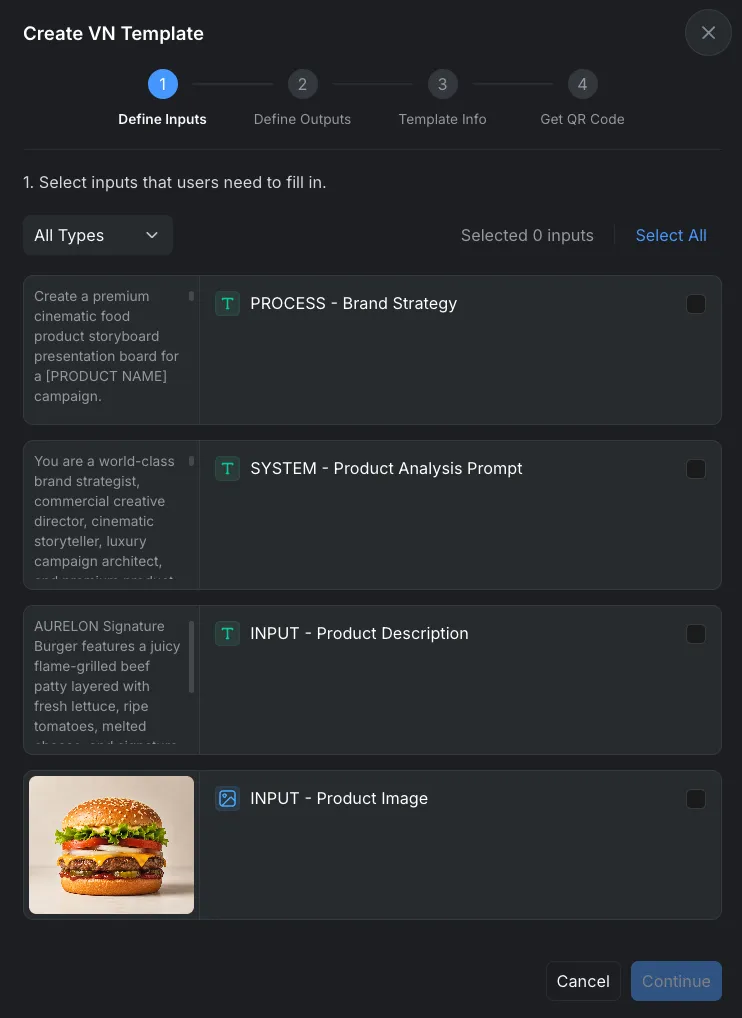
Step 2 · Define Otputs
Choose the outputs users when using the template.
Supported Inputs
- Image
- Video
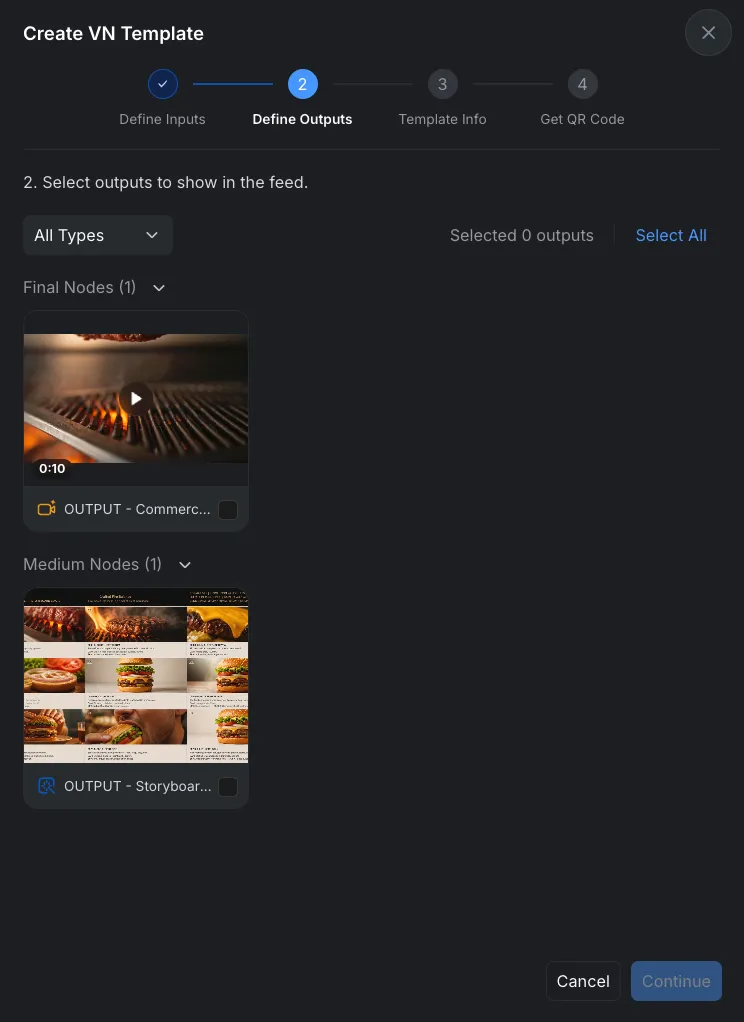
Step 3 · Template Information
Configure the basic information for your template.
Cover Image
Upload a cover image for the template.
The cover image will appear in VN preview pages and template lists.
Recommended
- Use a clear preview image
- Show the final effect of the template
- Use high-quality visuals
Name
Enter the template name.
Description
Add a short description for the template.
Recommended Content
- Template features
- Recommended materials
- Usage instructions
- Expected output style
Step 4 · Get QR Code
After publishing, CawCut will generate a QR code automatically.
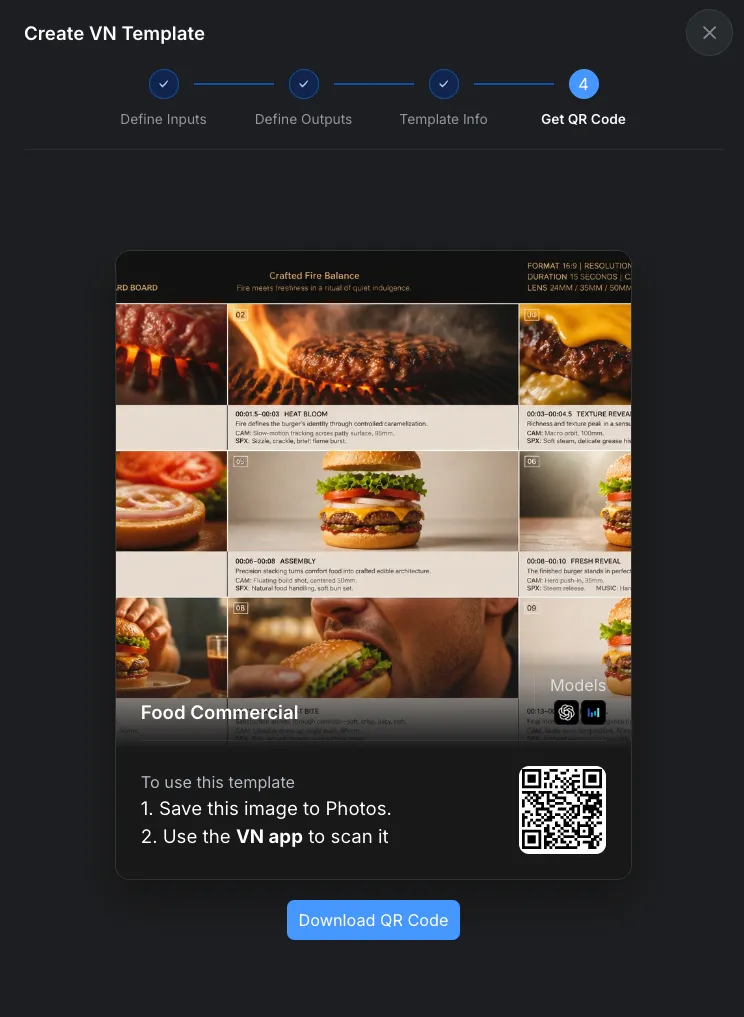
Open in VN
Scan the QR code with VN to test the template directly.
Download QR Code
Download and share the QR code with other users.
Users can scan the QR code in VN to instantly use the template.