
Overview
Text nodes are essential tools for processing language within your workflow. They allow you to write static prompts, leverage Large Language Models (LLMs) to generate dynamic text, and rephrase content.
Text Node
The standard Text node acts as a simple text box that allows the user to write a prompt, which can function as a system or user prompt for downstream nodes.
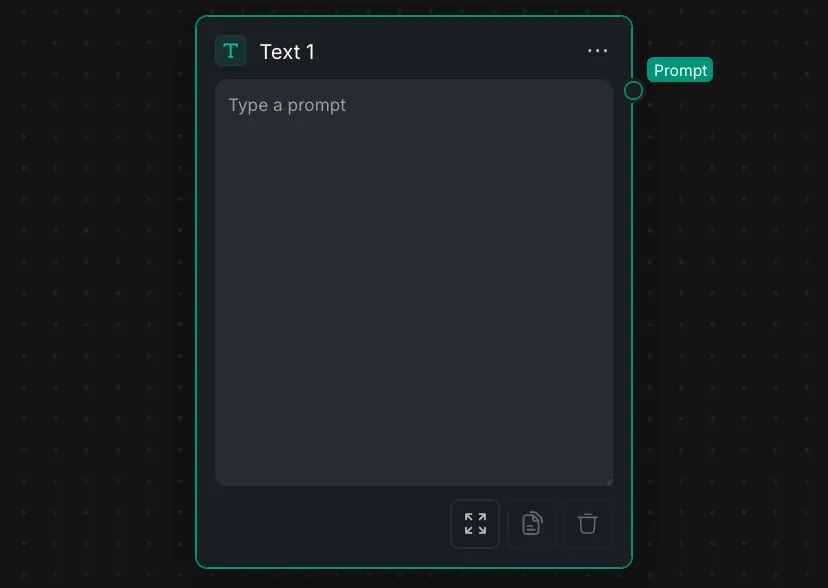
- Output: The entered text is passed downstream via the "Prompt" output port.
- Interface: The Node Panel includes quick-action icons at the bottom to expand the view, copy the text, or delete the content.
Text Generation
These nodes uses AI generation to generate text or edit existing text.
LLM Node
The LLM Node acts as the core reasoning engine for text, taking multiple inputs to generate a cohesive text or Json output.
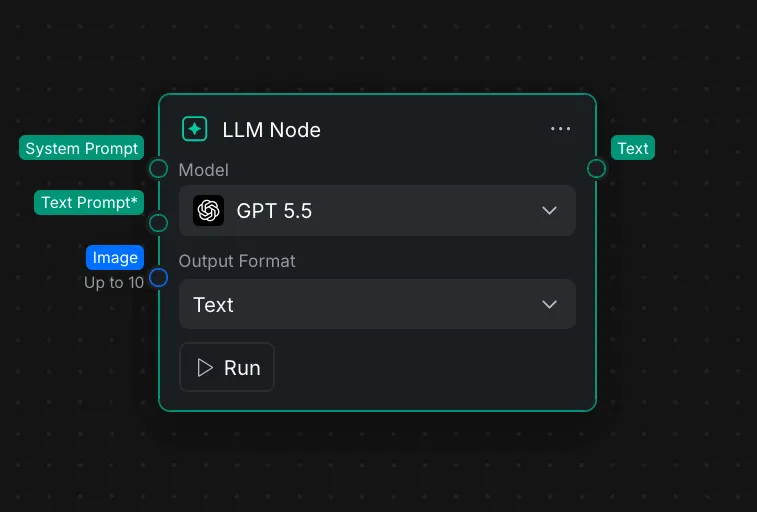
- Inputs: This node accepts a "System Prompt", a mandatory "Text Prompt*", and an "Image" input that supports up to 10 images.
- Node Settings: Within the Node Settings, you can choose the underlying AI model from a dropdown list (such as "GPT 5.5") and configure the node to output in regular "Text" format or structured "Json" format. The result is delivered through the "Text" output port.
Rephrase Text
The Rephrase Text node helps optimize prompts or execute specific text-transformation functions.
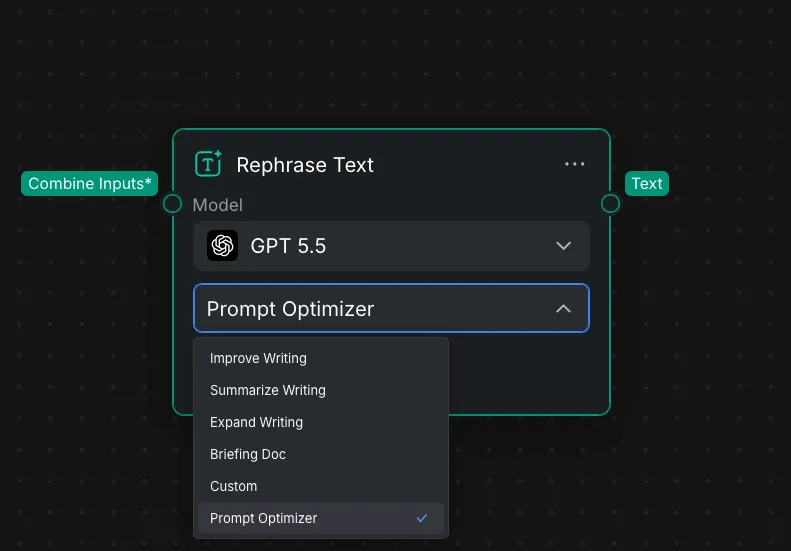
- Input/Output: It requires a "Combine Inputs*" connection and outputs the modified string through the "Text" port.
- Node Settings: Similar to the LLM node, you can use the Node Settings to select the model powering the transformation.
- Operations: The node features a dropdown menu to select the specific rewriting task. Depending on your workflow goals, you can select from options like "Improve Writing", "Summarize Writing", "Expand Writing", and "Prompt Optimizer".