
Overview
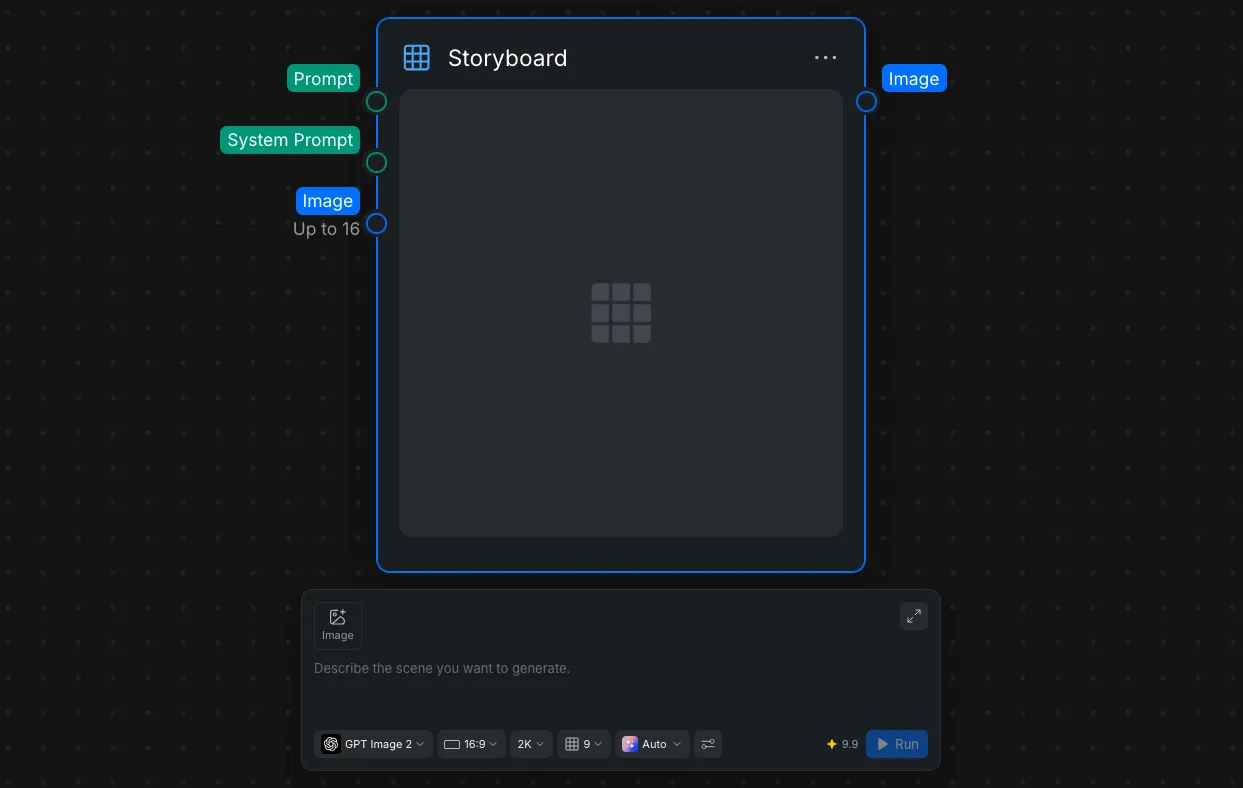
The Storyboard node is designed for more complex generation tasks and allows for multiple, specific inputs to guide the final output. It is commonly used to generate sequential panels for storyboarding.
Inputs and Parameters
This node accepts three primary types of inputs to ensure consistency and precision:
- Image Input: Connect up to 16 reference images to the node.
- System Prompt: A text prompt that defines the model’s role, rules, tone, and long-term behavior.
- Text Prompt (User Prompt): A text prompt that defines the specific task or request for the current interaction.
In the Node Settings at the bottom of the Node Panel, you can adjust the following:
- Model Selection: Access a dropdown menu to select the specific AI model that fits your needs.
- Customizable Parameters: Fine-tune your generation by adjusting the aspect ratio, resolution, and quality grid layout. You can also execute the generation via the Run button located here.