
Overview
Text nodes are essential tools for processing language within your workflow. Restructuring nodes specifically allow you to take existing text data, combine multiple strings, and extract specific information by parsing structured Json data.
Text Restructuring
These nodes take existing text data and combine or extract specific information from it.
Combine Text
The Combine Text node merges multiple distinct text inputs into a single string.
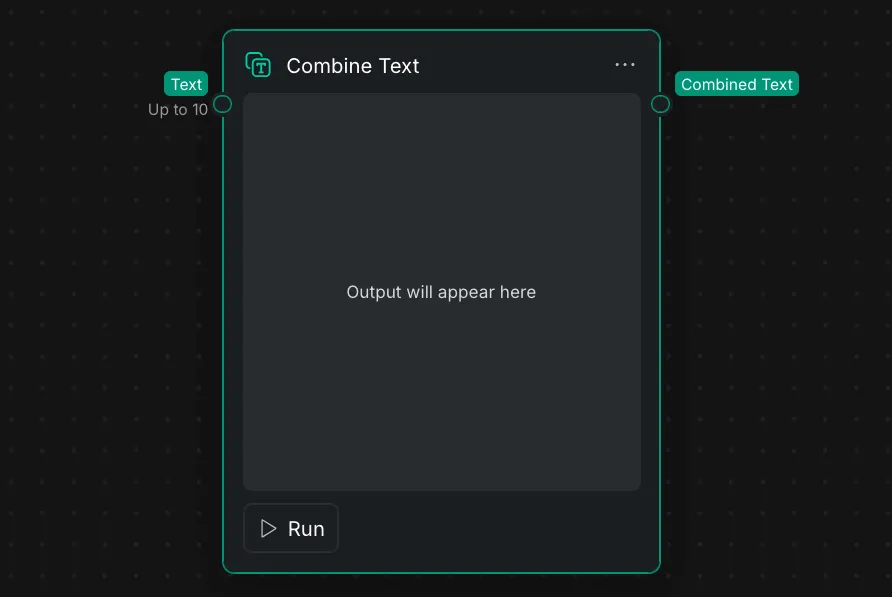
- Inputs: You can connect up to 10 separate "Text" inputs into this Node Panel.
- Output: The merged result is output via the "Combined Text" port.
- Execution: A central display area on the Node Panel indicates where the "Output will appear here" once the node is executed using the "Run" button in the Node Settings.
Parse Json
The Parse Json node is used to extract specific data fields from a structured Json text block.
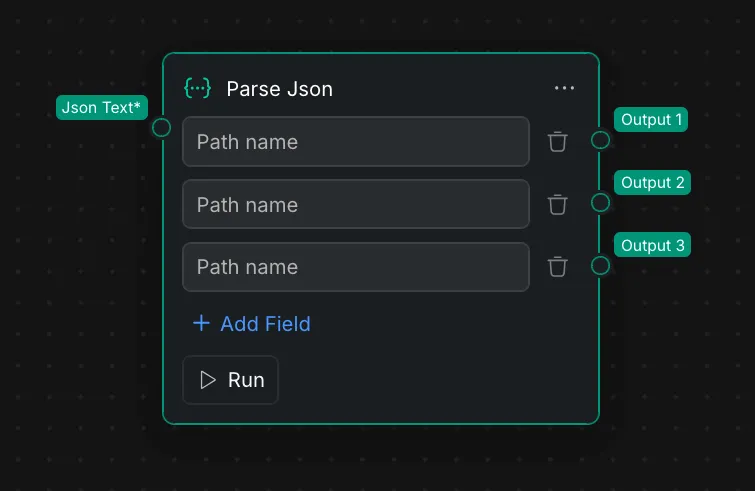
- Input: The Node Panel requires a "Json Text" input connection.
- Path Extraction: You can define specific "Path name" fields to target the exact data you want to extract from the Json structure.
- Dynamic Outputs: By clicking "+ Add Field" in the Node Settings, you can create multiple, independent outputs (e.g., "Output 1", "Output 2", "Output 3") based on the defined paths. Unneeded fields can be removed using the trash can icons.