
Overview
Image Generation nodes allow you to generate or transform images using uploaded image inputs. These nodes act as powerful creative engines within your workflow, taking initial prompts or visual references to create entirely new assets.
Image Generation Node
The standard Image Generation node is highly versatile, allowing you to seamlessly switch between different generation modes within a single node.
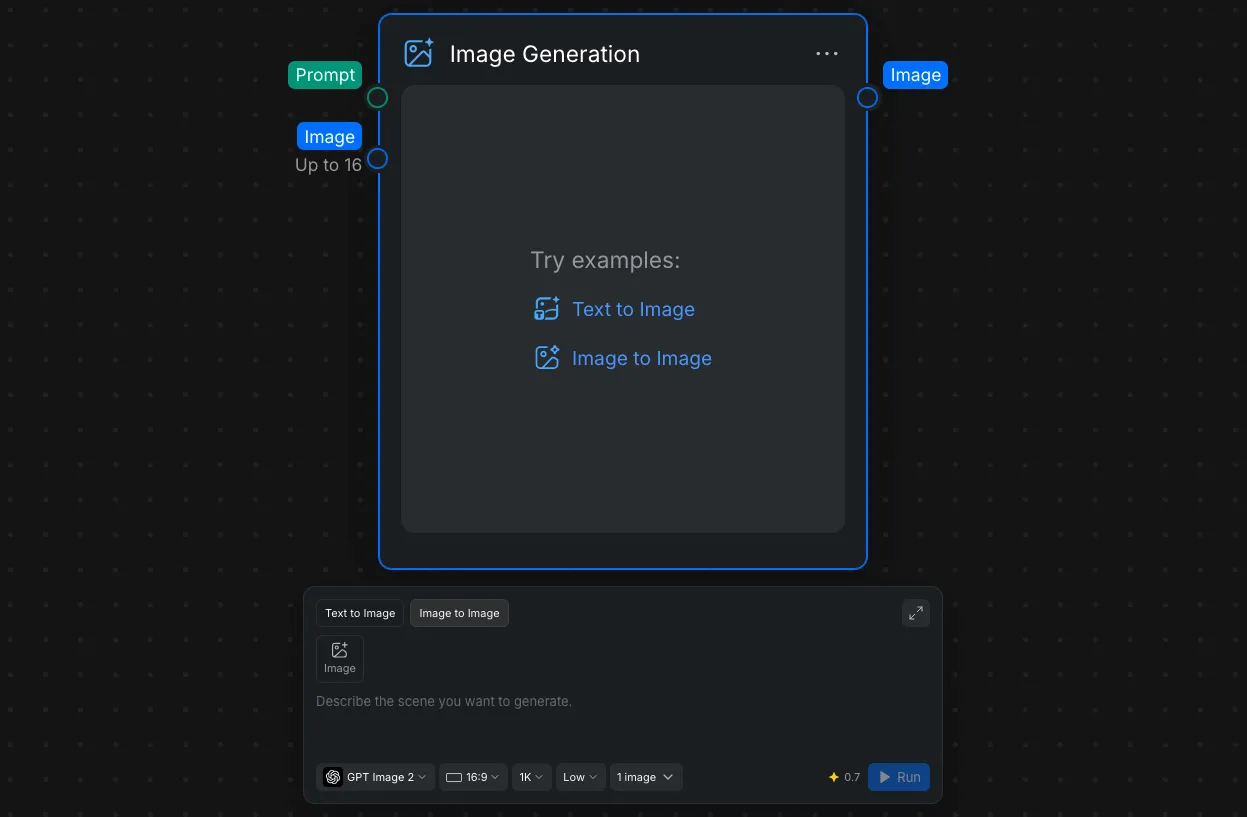
Key features of this node include:
- Text to Image & Image to Image: You can switch between generating brand new visuals using text-based descriptive prompts and transforming existing images. This is done using the toggle tabs located in the Node Panel.
- Input and Output Connections: The node features a "Prompt" input port. Once generated, the asset can be passed downstream via the "Image" output port.
- Model Selection: In the Node Settings area, you have access to a dropdown menu to select the specific AI model that fits your needs. Options include various OpenAI models and Google models.
- Customizable Parameters: You can fine-tune your generation using the Node Settings to adjust the aspect ratio, resolution, and quality. You can also specify the exact number of images you want to generate per run.